 uni player
Home KTV
for your Mac.
uni player turns your Mac into a home KTV. Sing any song from YouTube or your Mac: AI takes out the singer and shows the lyrics.
What it does
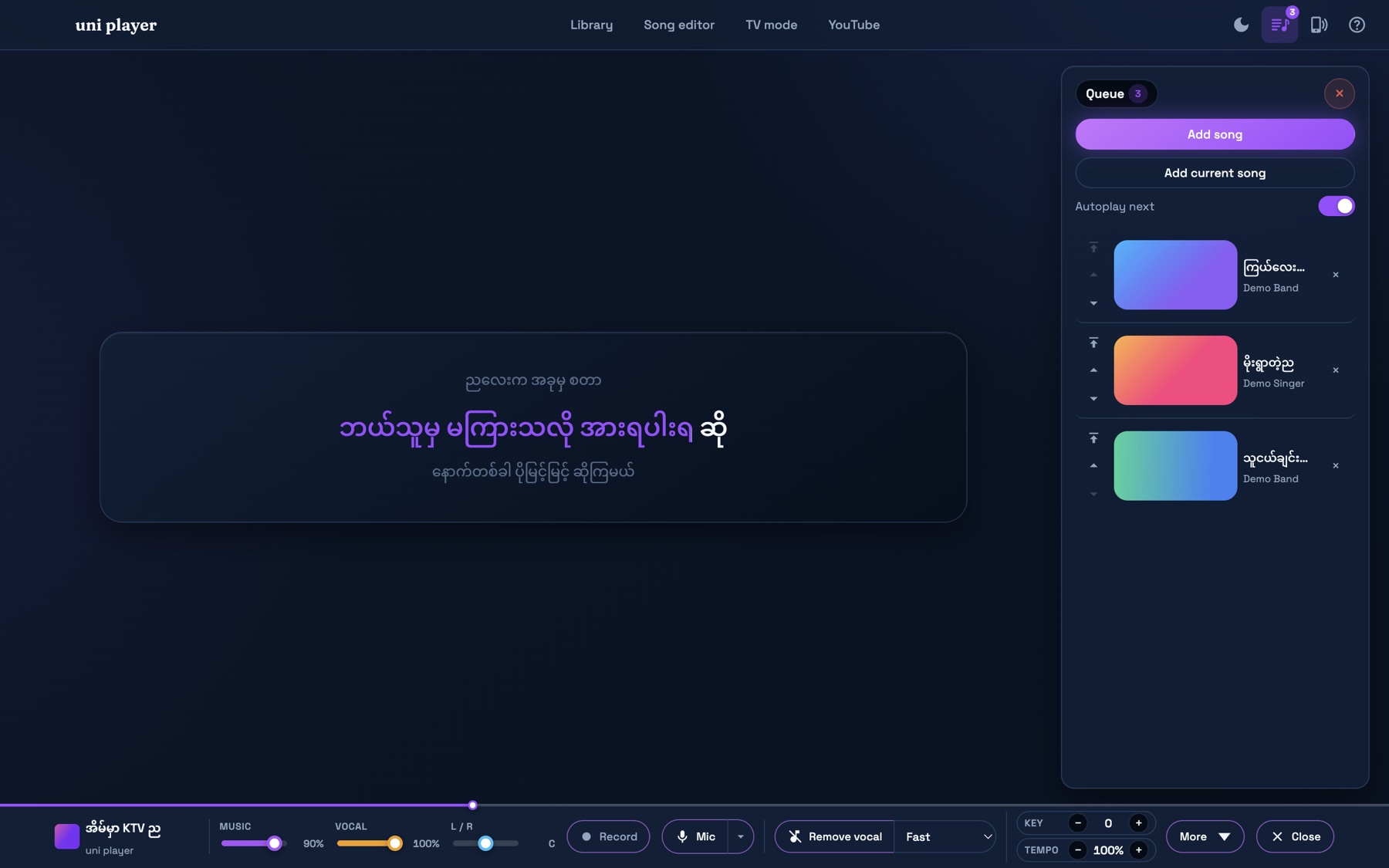
Shows the lyrics in time on your video files.
Remove the singer
AI takes the voice out of any song. Pro.
Burmese lyrics
The lyrics move with the song. AI can time them for you. Pro.
YouTube
Search and sing from YouTube. Save songs to sing without internet (Pro).
Phone remote
Scan the QR code and pick songs from your phone.
TV mode
Show the video and lyrics on your TV. Pro.
Key and speed
Change the key to fit your voice, or slow the song down.
Add lyrics
Paste the lyrics and tap to time them.
Songs and queue
Find songs fast and line up the next ones.
Record
Record your singing. Pro.
How to use
No account needed.
Pick a song
Search YouTube or add your own songs.
Remove the voice
Press Remove vocal (Pro).
Sing
Follow the lyrics and sing.
Download
For Mac with M1 or newer, macOS 12 or newer.
Download for MacInstall
Drag to Applications
Open the .dmg. Drag uni player to Applications.
Open it
Open uni player. If macOS warns you, press Done.
Open Anyway
Go to System Settings › Privacy & Security. Press Open Anyway.
Sing
Open uni player again. All done!
Questions
Which Macs?
M1 or newer, with macOS 12 or newer. Not Intel Macs. No Windows yet.
Why does macOS warn me?
The app is not signed by Apple yet. Press Open Anyway once.
Does YouTube save files on my Mac?
No. Only if you choose to save the song (Pro).
Do key and speed work on YouTube?
Not on plain YouTube. They work on songs in your library.
How do I get Pro?
In the app, open Library › Licence to see your Mac code. Email it to us and we send your key. One key, one Mac.